Fix a failed payment
When a renewal is declined, give your existing subscription a new card or switch it to Pix — same plan, same price — and check the result in Payment History.
You’ll need: Account owner access. Team members cannot see or change billing.
If your bank or card issuer refuses a renewal, your plan is not cancelled. It is waiting for a way to pay. Fix my payment lets you supply one on the subscription you already have, so you keep your plan and your price.
#How you find out
A declined renewal shows up in three places:
- A red banner at the top of every screen, reading Your account has a payment problem. Please check with your credit card company. or Your account is past due. Please make a payment to keep using the platform. It carries the Fix my payment button.
- Payment History, in your account menu, where the charge is marked Declined with the reason when the bank gave one — for example an expired card or insufficient funds. A Fix my payment link sits underneath.
- A notification and an email to the account owner, with a reminder a few days later if it is still unpaid.
All three lead to the same place, so use whichever you see first.
#Fix it
- Choose Fix my payment in the banner or in Payment History.
- Follow the path that opens for your plan — see below.
- When you are back in Tayon, open Payment History and check the result.
What opens depends on how your plan is priced.
#Plans priced in other currencies
You go straight to a secure payment page where you enter a new card. The pending amount is charged right away, and the new card is used for future renewals.
#Plans priced in reais (R$)
You first see Fix your payment — Choose how you want to pay your subscription from now on. Your plan and price stay the same. — with two options:
| Option | What happens |
|---|---|
| Pay by card | Enter a new card. The pending amount is charged right away and the card is used for future renewals. |
| Pay by Pix | Authorise Pix Automático in your bank app. The pending amount is debited in about 3 days, and future renewals are debited automatically. |
Either choice replaces how the subscription is paid from then on, so a Pix payer can move back to card the same way, and a card payer can move to Pix.
After authorising Pix you come back to Payment History with one of two messages:
- Pix Automático is set up. The pending amount will be debited in about 3 days, and your account stays available meanwhile. — you are done.
- We are still confirming your Pix authorization with your bank. This can take a few minutes. — wait, then reload Payment History.
#When there is no subscription to repair
Some older accounts were set up with a payment method that can no longer be updated, and a subscription that has been fully cancelled has nothing left to repair. In those cases Fix my payment takes you to the plan list, where you choose a plan and pay for it as new.
#Read your Payment History
Payment History is where you confirm that a fix worked, and where you find receipts.
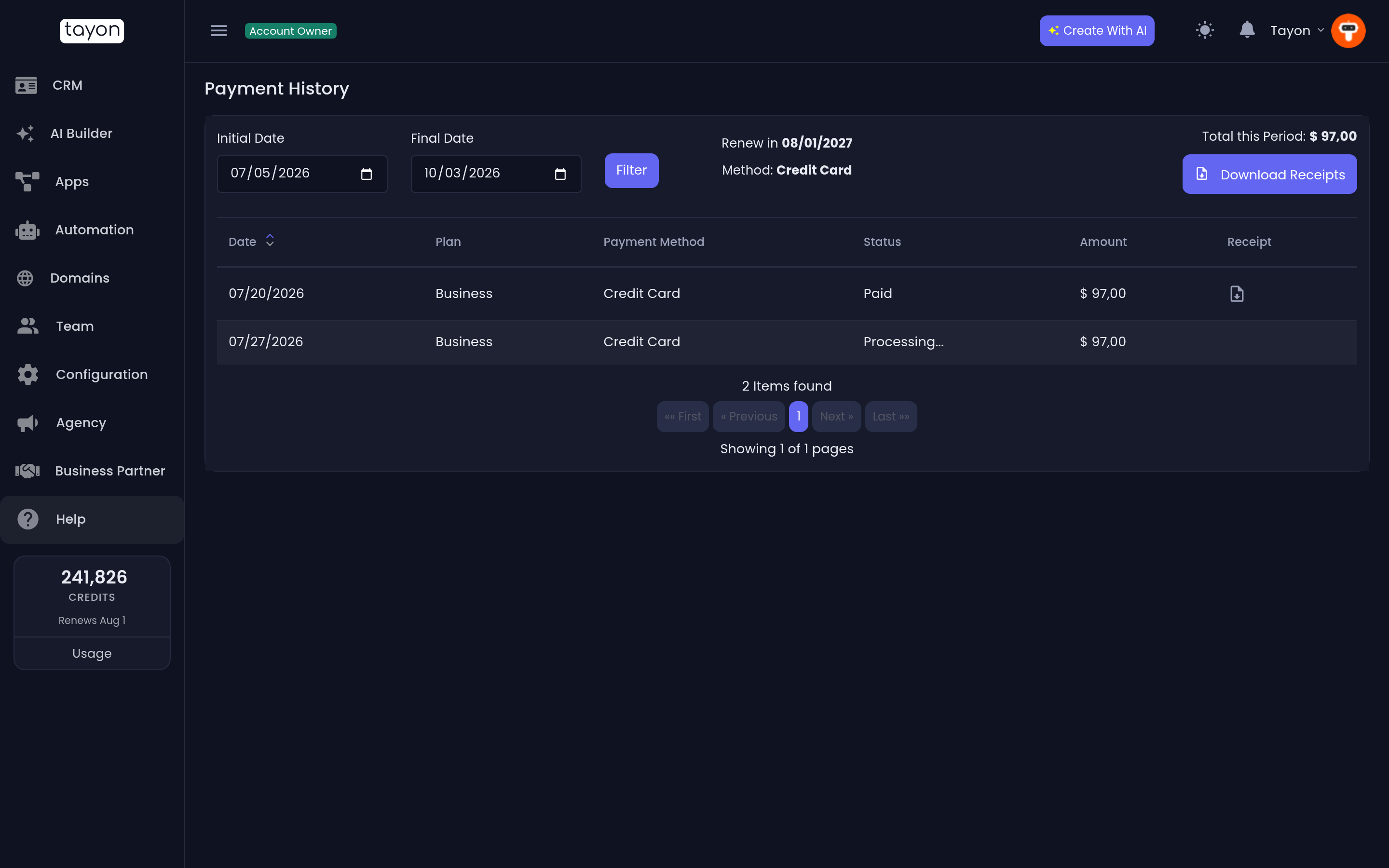
- The top of the screen shows your plan, when it renews (Renew in), and the payment Method on file. View Payment Data shows the details.
- Initial Date, Final Date and Filter narrow the list; Total this Period adds it up and Download Receipts gets them all.
- Each row shows the Date, Plan, Payment Method, Status and Amount, with an Individual Receipt for paid charges.
A charge reads Paid, Processing…, Declined or Canceled. A Pix charge can sit at Processing… for a few days; that is normal.
#If you leave it unpaid
After a short grace period, an unpaid account is restricted and most of the app stops working until the payment goes through. Fix my payment keeps working the whole time, so you can always pay your way back in. If you own domains on Tayon they keep working too, and the banner links to Domains so you can still manage them.
#When it goes wrong
The card page says the card was declined again. The bank is refusing it, not Tayon. Try another card, or call the bank — some block the first charge from a new merchant.
I chose Pix but nothing was debited. Pix Automático debits about three days after you authorise it. Check that the authorisation shows as active in your bank app.
I see We could not open the payment page right now. Wait a moment and choose the button again.
The button takes me to the plan list. Your subscription cannot be repaired in place (see above). Choosing a plan there replaces it.
Updated: