Follow up on a lead automatically
The three ways Tayon chases a lead for you — a delayed campaign, a follow-up flow you start per lead, and a library of short canned messages.
Most deals are lost to silence rather than to a no. Tayon gives you three different ways to break it, and they suit different situations.
#Which one you want
| You want | Use |
|---|---|
| The same chase for everybody, on a fixed delay | A campaign with the Send after include trigger |
| A multi-step sequence you turn on for particular leads | A follow-up flow |
| A short standard message kept ready to hand | The Follow Up Messages List |
#A delayed campaign
This is the simplest and covers most cases. Build a campaign, choose the Send after include trigger, and set it to fire a number of Minute(s), Hours or Day(s) after a lead is created. Filter the audience so it only covers the leads that should get it.
Three of those, at day 2, day 7 and day 21, is a follow-up sequence, and you can build it in ten minutes. See Schedule a message or run a campaign.
#A follow-up flow
A follow-up flow is a sequence built on the flow canvas, with a trigger type of follow-up. Unlike a campaign, it is not aimed at an audience — you start it on one lead at a time, when you decide that lead needs chasing.
- Open the lead.
- Choose Start Follow Up Flow.
- Pick the flow you want and confirm.
Once one is running, the lead shows Current follow-up flow with its name, and the button becomes End Follow Up Flow. Ending it stops the sequence where it is.
Use a flow rather than a campaign when the chase needs to branch: when a reply should change what happens next, or when the sequence should stop by itself because the lead answered.
#The Follow Up Messages List
Follow Up Messages List
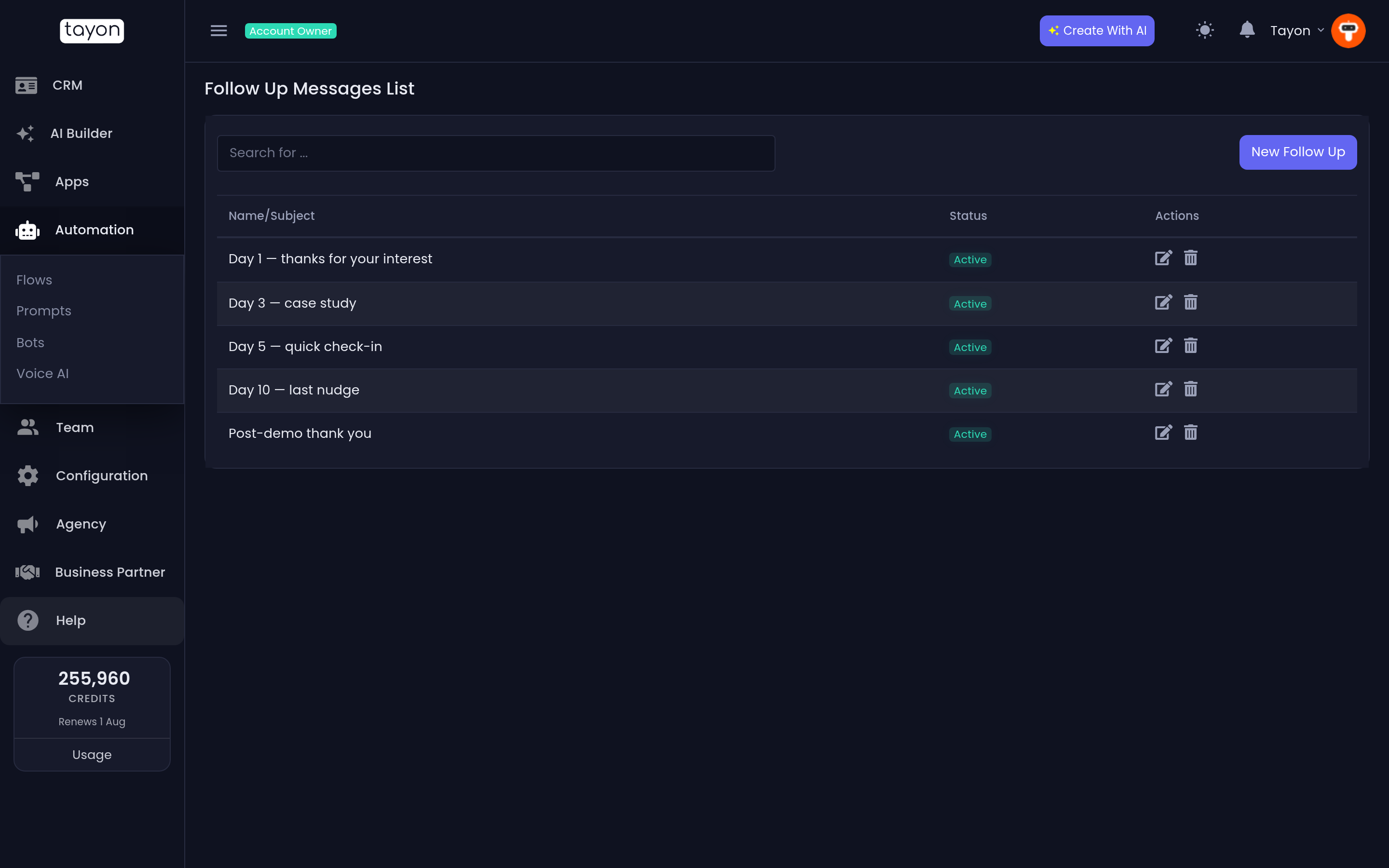
This screen holds short standard messages — the paragraph you send when someone goes quiet, the line you send after a quote. Each one has a name so you can find it again.
#Create one
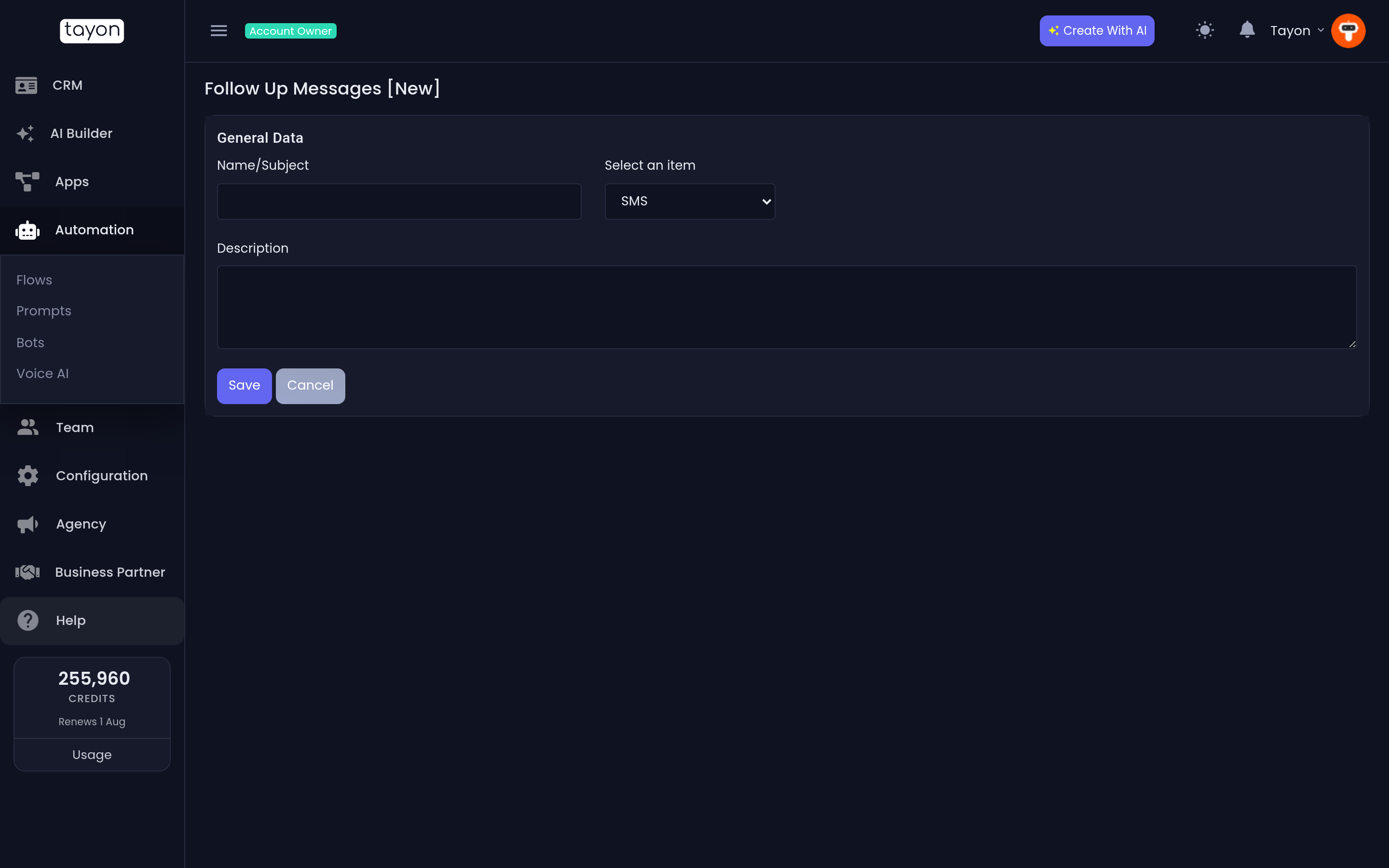
- Choose New Follow Up.
- Type a Name/Subject.
- Pick the channel — SMS or EMAIL.
- Write the Description — this is the message body.
- Set the Status switch and save.
The list shows Name/Subject and Status. Click the Active or Inactive badge to switch a message on or off without deleting it.
#Writing follow-ups that work
- Space them out and stop. Three messages over three weeks, then leave it. Six over six days is noise.
- Each one should carry something new. A deadline, a case study, an answer to the objection you suspect. “Just checking in” is not a follow-up.
- Make the last one easy to say no to. Should I close this off? gets more replies than the four polite ones before it.
- Watch the channel. A WhatsApp follow-up to somebody who only ever emailed you reads as intrusive, and on WhatsApp it also risks your number — see Connect and manage WhatsApp numbers.
Updated: