Choose a channel for a bot flow
Web Bot, WhatsApp and AI Agent — where each one runs, and exactly which steps disappear from the palette on each.
Every bot flow belongs to exactly one channel. The channel is where the conversation happens, and it decides what the flow is allowed to contain.
You choose it when you create the flow, on the New Bot Flow screen.
#The three channels
| Channel | Where it runs |
|---|---|
| Web Bot | The chat widget on your website, and the bot page you can share as a link. |
| Your connected WhatsApp Business number. | |
| AI Agent | No chat at all. An AI team member works a lead in the background — sending, tagging and following up. |
#Web Bot
The full toolkit. Every message type and every action is available.
Use it for: a widget that greets visitors, qualifies them and books a call; or a standalone chat page you link to from an ad.
Almost everything, minus what WhatsApp cannot do.
Message types you lose:
- Html — WhatsApp does not render it
- Calendar — there is no in-chat booking widget; send a link instead
Actions you lose:
- WhatsApp — you are already in WhatsApp; a message step does the job
- Redirect — there is no browser to redirect
- Meta Pixel — there is no page to fire a pixel from
Everything else works: text, ask, image, video and audio messages, and the full CRM, webhook, AI and flow-control actions.
#AI Agent
The most restricted, and the most different.
There are no message types at all. The Message item disappears from the palette entirely, because there is no chat window for a message to appear in. What you build is a sequence of actions and conditions.
Actions you lose compared with Web Bot:
- Redirect
- Meta Pixel
- Save Lead — the lead already exists; that is why the agent was given it
- Start Flow
What you keep: Email, SMS, WhatsApp, Webhook, AI, Add Tag, Remove Tag, Stage, Quality, Jump, Wait, Assign Lead and AI Call.
Restart Session and Set Automation also appear in the picker, but they have no effect in an AI Agent flow. To stop automation for a lead, turn off the Automation disabled/enabled switch on the lead.
Use it for: follow-up sequences. Wait two days → send an email → wait three days → if still no reply, change the stage and assign it to a person. The AI Follow-Up Agents section covers these flows in detail.
#The palette changes on its own
You do not have to remember any of this. The palette only offers what the channel supports:
- On AI Agent, the Message palette item is not shown.
- On WhatsApp, the message picker has no Html or Calendar, and the action picker has no WhatsApp, Redirect or Meta Pixel.
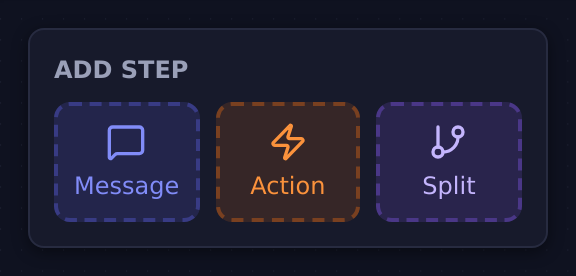
If a step type you expected is missing, the channel is the reason.
#Which triggers each channel allows
The channel also limits how the flow can start:
| Channel | Available triggers |
|---|---|
| Web Bot | Bot is Active, Rule Answered, URL Parameter |
| Bot is Active, Rule Answered, Triggered by Message | |
| AI Agent | AI Tasks, Email Received, WhatsApp Received, SMS Received |
#Choosing
| You want | Channel |
|---|---|
| To greet and qualify people on your website | Web Bot |
| To reply automatically on your WhatsApp number | |
| To chase leads over days or weeks with no chat involved | AI Agent |
| To answer inbound email or SMS automatically | AI Agent |
Updated: