Decide how a bot flow starts
The trigger is what makes a bot flow run — a chat opening, a keyword arriving, a URL parameter, or a lead handed to an AI agent.
A conversational form runs when somebody opens its link. A bot flow has no link of its own — something has to set it off. That something is the trigger.
You pick it when you create the flow, next to the channel, and like the channel it is locked afterwards.
Which triggers you are offered depends on the channel you chose.
#Web Bot triggers
| Trigger | Starts when |
|---|---|
| Bot is Active | Someone opens the chat. This is the ordinary greeting flow. |
| Rule Answered | One of your AI rules matches what the visitor said. |
| URL Parameter | The page carries a parameter you specify. |
#Bot is Active
The default. It runs when the chat opens, so it is your welcome and qualification conversation.
Its settings live on the Start tab:
| Setting | What it does |
|---|---|
| Start flow after | A pause in seconds before the first message appears, so the bot does not pounce the moment the page loads. |
| Welcome Message | The first thing shown when the chat opens. |
| Start Buttons | Buttons offered alongside the welcome message. |
| Wait between steps | 0–10 seconds between consecutive messages, so a run of messages reads like typing rather than a dump. |
| Start even if another flow is active | Whether this flow can interrupt one already running. |
A start button can carry a Value as well as a label. The value is what the
flow receives, so Tell me about pricing on the button can arrive as pricing
inside the flow.
#URL Parameter
Runs only on pages carrying the parameter you name — letters, numbers, dashes and underscores only.
This is how one widget behaves differently in different places. Put
promo-spring on your campaign landing page and that flow greets those visitors
while everyone else gets the standard one.
#Rule Answered
Runs when one of your AI rules matches. Use it for a scripted path that takes over once the AI has recognised a specific intent.
#WhatsApp triggers
| Trigger | Starts when |
|---|---|
| Bot is Active | A conversation opens on your connected number. |
| Rule Answered | An AI rule matches. |
| Triggered by Message | The incoming message matches text you specify. |
#Triggered by Message
You set a Trigger Message — the text to match. The flow starts when somebody’s message matches it.
This is the keyword pattern. Put Text START to 555… on a poster, set the
trigger message to START, and the flow greets everyone who does.
#AI Agent triggers
| Trigger | Starts when |
|---|---|
| AI Tasks | The AI agent is given a lead to work. |
| Email Received | An email arrives from the lead. |
| WhatsApp Received | A WhatsApp message arrives from the lead. |
| SMS Received | An SMS arrives from the lead. |
All four need an AI Agent Member — the AI team member that handles the flow. Assign a lead to that member and the flow takes over.
AI Tasks is the follow-up sequence trigger: assign the lead, and the sequence of waits and messages begins.
The three Received triggers are for reacting to a reply. Someone answers your email, and the flow decides what happens next. A reply also ends that lead’s AI Tasks sequence.
Keep one active flow per AI Agent trigger on your account. If there are several, only the oldest runs, whatever AI Agent Member the others name. See Plan the messages your agent sends and Handle replies with response flows.
#Reading the trigger on your list of flows
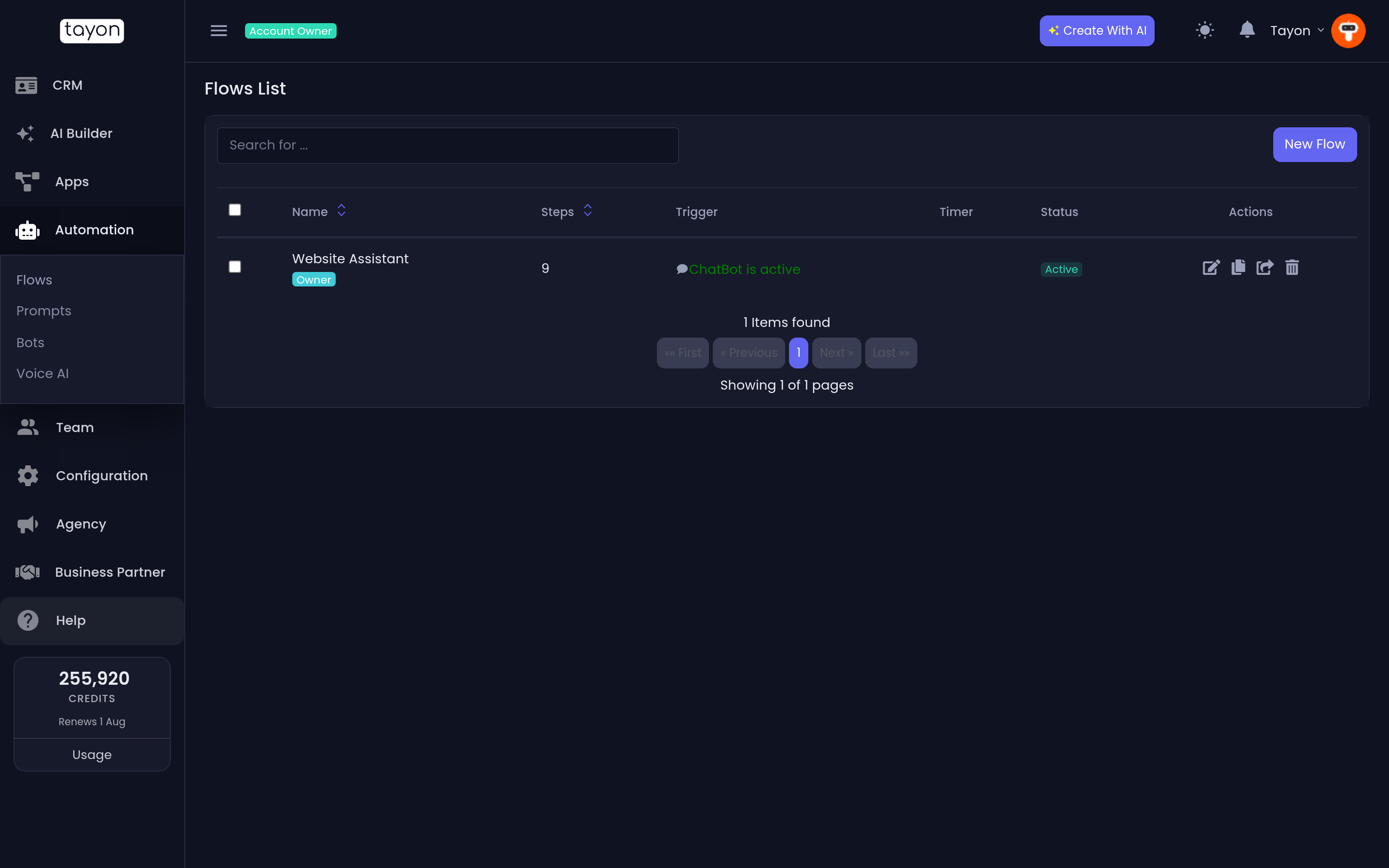
Automation → Flows has a Trigger column showing each flow’s trigger, and a Timer column showing its start delay where it has one. That is the fastest way to see which of your flows fires when.
#Older triggers you may see
Flows built before the current set can show Page Timer, CRM Event, Flow Action or Follow Up. They still run. You cannot choose them for a new flow — pick the closest current equivalent instead.
#Choosing
| You want | Channel and trigger |
|---|---|
| Greet everyone who opens the chat | Web Bot · Bot is Active |
| A different greeting on one campaign page | Web Bot · URL Parameter |
| Reply to a keyword on WhatsApp | WhatsApp · Triggered by Message |
| Chase a lead over the following days | AI Agent · AI Tasks |
| React when a lead replies | AI Agent · Email / WhatsApp / SMS Received |
Updated: