Build a follow-up sequence with AI
Generate a multi-day nurture sequence across email, WhatsApp, SMS and calls, aimed at one goal, that replies when the lead replies.
You’ll need: A plan that includes follow-up agents, and credits available.
A Follow-Up Agent is a sequence of messages that chases a lead over days or weeks toward one goal, and answers them when they reply.
#Describe the sequence
- From AI Builder, choose Follow-Up Agent.
- Describe your business, the offer this sequence promotes, and what you want leads to do.
Be specific about the goal. “Book a 30-minute audit call” produces a sequence that keeps circling back to booking. “Stay in touch” produces filler.
#Set the shape before generating
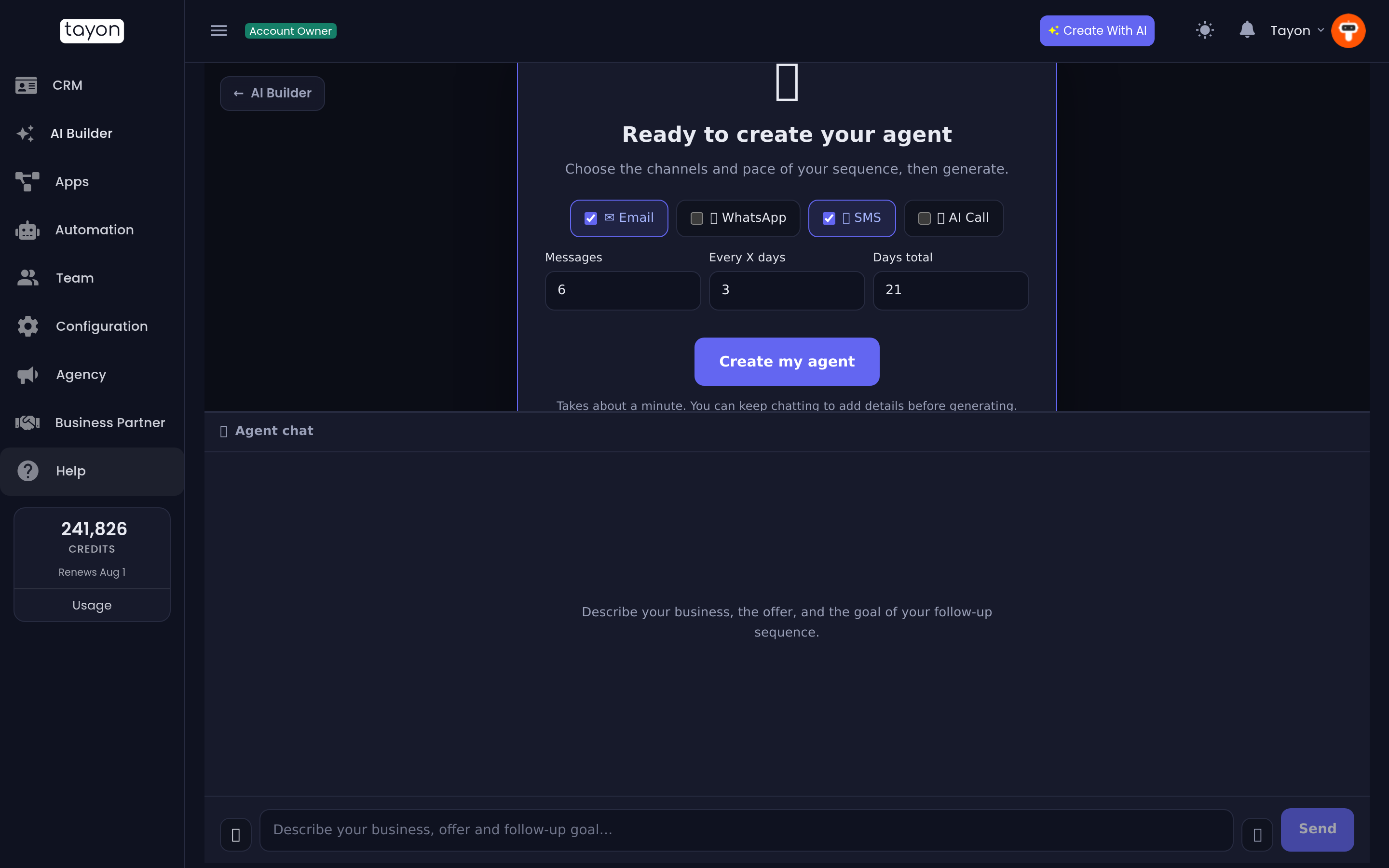
When the panel reads Ready to create your agent, you choose the shape of the sequence rather than leaving it to chance:
| Setting | Range | What it controls |
|---|---|---|
| Channels | Email, WhatsApp, SMS, AI Call — any combination | How the messages go out |
| Messages | up to 30 | How many messages the sequence contains |
| Every X days | up to 14 | The gap between messages |
| Days total | up to 180 | How long the whole sequence runs |
| AI agent to use | an existing agent, or Create a new agent | Which agent the messages come from |
If you already have follow-up agents, pick one to reuse its sending address. Otherwise leave it on Create a new agent and one is set up for you.
Choose Create my agent.
#What gets created
The summary card lists what you now have:
- Agent — the AI agent the sequence runs as.
- Agent email — the address its emails are sent from and replies come back to.
- Sequence — the messages themselves, in order, with the waits between them.
- Replies handled on — one reply-handling flow per channel you chose. When a lead answers, the agent writes back and you are notified.
View flows opens the sequence, Edit prompts opens the wording rules, and Open Flow Designer lets you edit any individual message.
#Starting the sequence for a lead
The sequence does not start on its own. Assign a lead to this agent from your CRM and the sequence begins for that lead. Assign more leads later and each one starts at message one, on their own clock.
#Changing the wording afterwards
Four entries appear on the Prompts screen, and they control how the agent writes rather than what any one message says:
| Prompt | What it governs |
|---|---|
| First Contact Message | The opening message |
| Follow-Up Message | Every message after the first |
| Email Subject | How subject lines are written |
| Response Instructions | How the agent replies when a lead answers |
Editing those changes the agent’s voice everywhere without rebuilding anything. Editing an individual message is a job for the Flow Designer.
#Change what the agent does after it is built
The sequence and the reply handling are ordinary flows on the AI Agent channel, so you can open them in the Flow Designer and change any step:
- Plan the messages your agent sends covers the sequence.
- Handle replies with response flows covers what happens when a lead answers.
- Let the AI decide what happens to a reply shows how to answer some replies automatically and hand others to a person.
#If nothing is sending
- Check a lead is actually assigned to the agent — that is what starts the sequence.
- Check the channel is connected. WhatsApp needs a connected number; SMS and calls need the relevant setup. Email works from the agent’s own address.
- Check your credit balance. Messages and calls consume credits as they go out.
- Check the lead’s Automation disabled/enabled switch is on. With it off, the agent leaves the lead alone.
Updated: