Build your first project
Use the AI Builder to create a website, conversational form, AI agent or follow-up sequence from a plain-language description.
You’ll need: An account with credits available.
The AI Builder is the quickest way to get something real in front of people. You describe what you want, Tayon proposes a plan, and you approve or adjust it before anything is built.
#Choose what to build
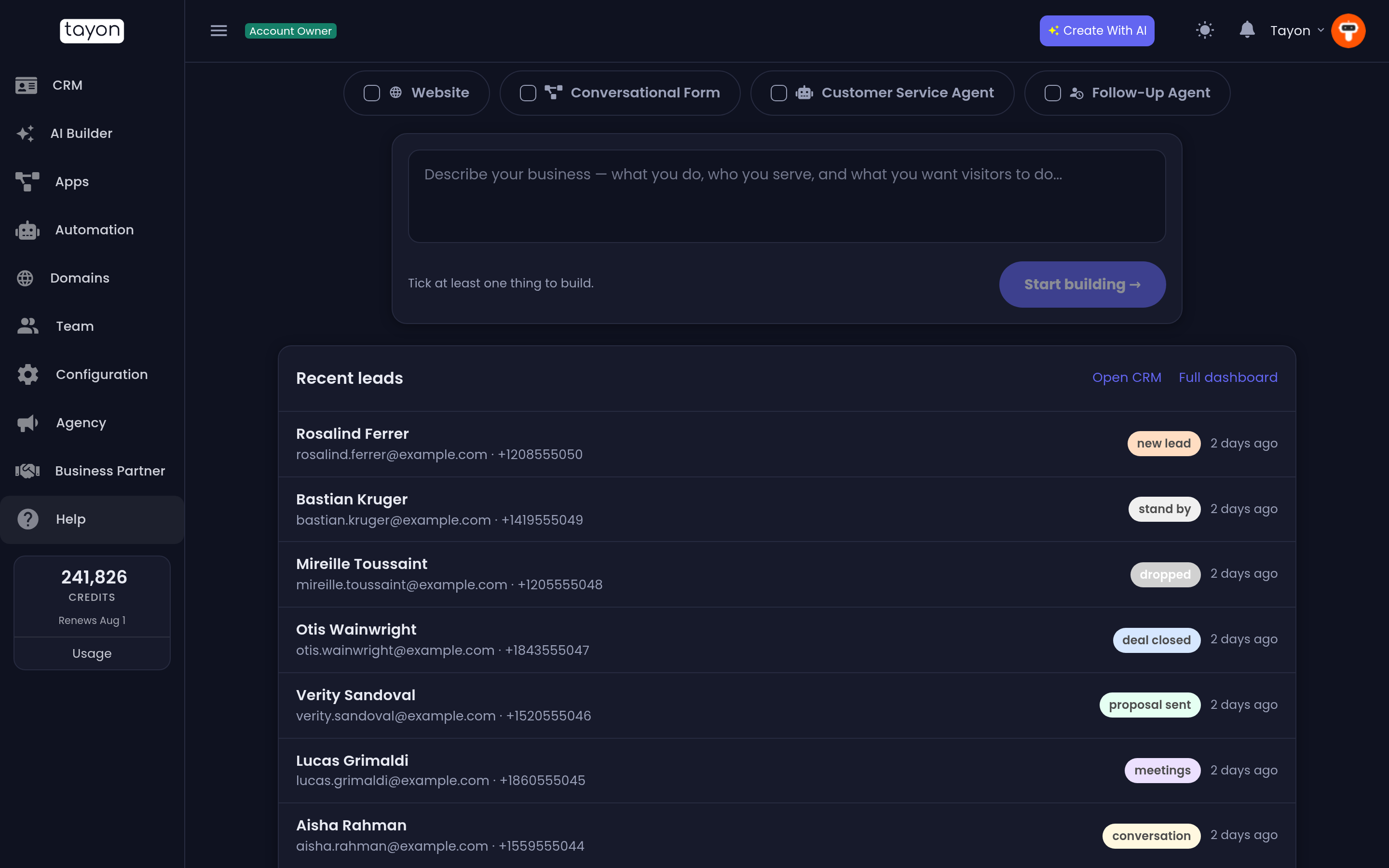
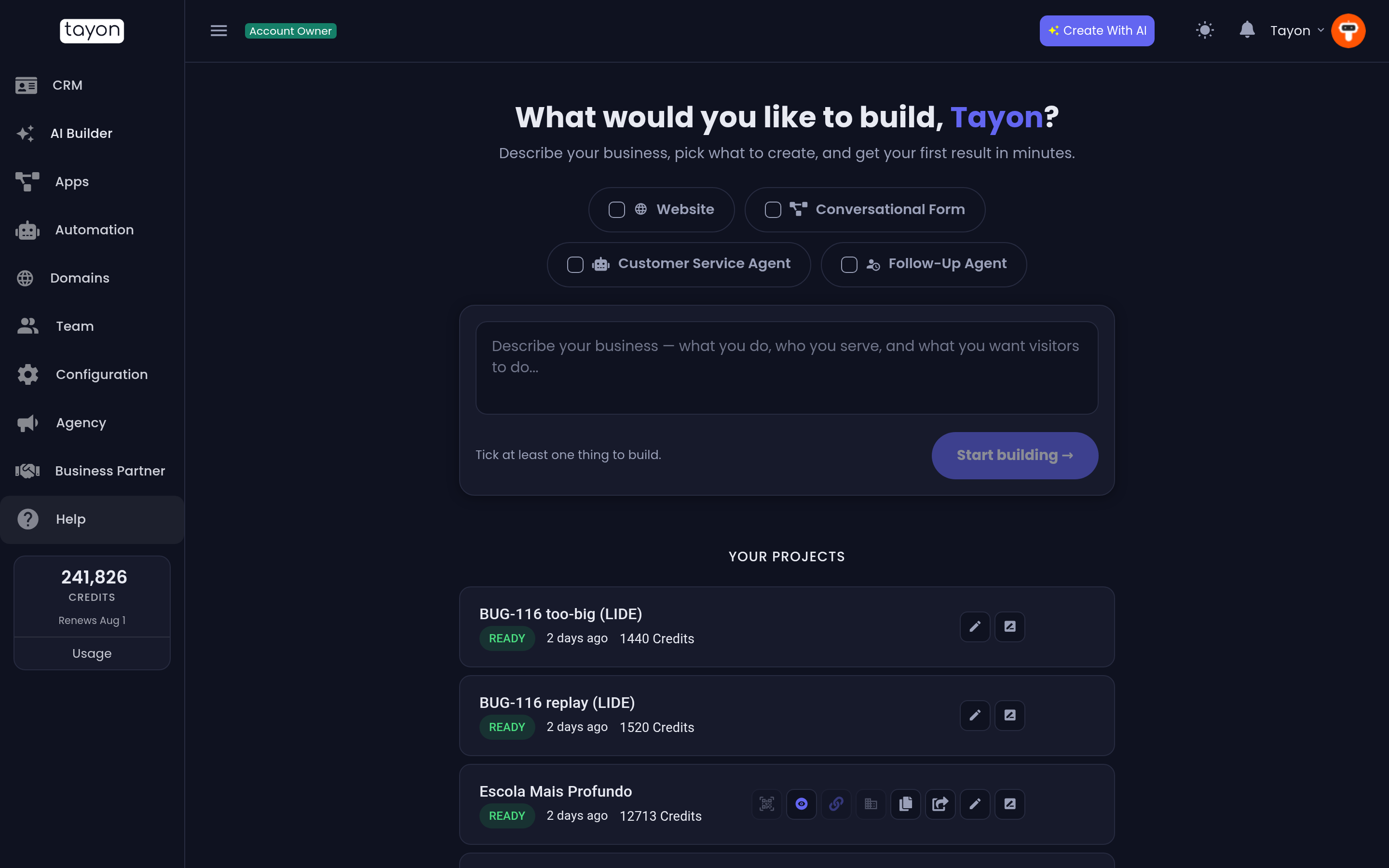
From the home screen or the Create With AI button, tick what you want and type your description underneath.
| Tick | Best for |
|---|---|
| Website | A conventional multi-page site — home, about, services, contact |
| Conversational Form | A page that asks one question at a time and collects answers |
| Customer Service Agent | Something that answers customer questions in your voice |
| Follow-Up Agent | A series of messages that chase a lead over days or weeks |
You can tick more than one. Tayon then builds them together from that single description and connects them to each other — see Build everything at once. If your account is brand new, the boxes that combine are already ticked, so you can type and go.
The follow-up agent is the exception: it is always built on its own, so ticking it clears the others.
Already have a website, or a picture of the look you want? Under the box, Or start from something you already have lets you start from your site’s HTML files, from screenshots of it, or from a design picture. See Import an existing website and Use a picture as your design.
#Write a description that works
The quality of what you get back tracks the quality of what you type. A good description says who it is for, what it should achieve, and what makes you different.
Weak:
a website for my business
Much better:
A website for a family-run roofing company in Austin, Texas. We do repairs and full replacements, we have been going 22 years, and we offer free inspections. The site should push visitors towards booking an inspection.
#Review the plan before it builds
Tayon does not build straight away. It comes back with a plan — the pages it intends to create, the sections on each one, and the tone it will write in. Read it, and say what you want changed. You can keep going back and forth; nothing is built until you approve.
#After it builds
What you get depends on the type, but in every case it is fully editable:
- A Website opens in the visual editor. Click any piece of text or image to change it. When it looks right, publish it.
- A Conversational Form opens in the Flow Designer, where each question is a step you can reorder, reword or branch.
- A Customer Service Agent gets its instructions and knowledge from the Prompts screen under Automation.
- A Follow-up sequence becomes an AI agent with its own sequence of messages; View flows on the finished project opens it. See Build a follow-up sequence.
#What it costs
Generating a project spends credits, and the amount depends on how much has to be written and how many images are produced. A published website also costs a small amount of credits per day to stay online.
Your balance and a full breakdown are always in the Usage screen — see Plans and credits.
#If the result is not what you wanted
- Try again with a sharper description — most disappointing results come from a description that left the important part out.
- Keep what is close and edit the rest by hand. Editing three sections is usually faster than regenerating the whole thing.
- For websites, regenerate a single page rather than the entire site.
Updated: