Take over a conversation from the bot
Step into a conversation your bot is handling, stop it talking over you, and hand it back cleanly when you are done.
Your bot handles most conversations. Some it should not. This is how you step in, and — just as important — how you get back out.
The rule Tayon follows is simple: a human reply stops the bot. You do not have to remember to switch anything off first.
#Just reply
Send a WhatsApp or SMS message to a lead from the Messenger and three things happen at once:
- The bot and the AI stop answering that person.
- Any flow that was running for them pauses where it stands.
- The lead becomes yours, if it did not already belong to somebody.
You do not need to do anything else. The next message from that person comes to you, not to the bot.
#Taking over without replying
Sometimes you want the conversation before you have anything to say.
The robot icon in the conversation header is the explicit switch. Its label reads Disable automation while the bot is on, and Enable automation once you have taken over. Using it does the full handover — it is the same thing your first reply would have done.
You can also do it from the lead itself: the Automation disabled/enabled switch on the lead’s record is the same control.
#When the reply box says “Assign to me to reply”
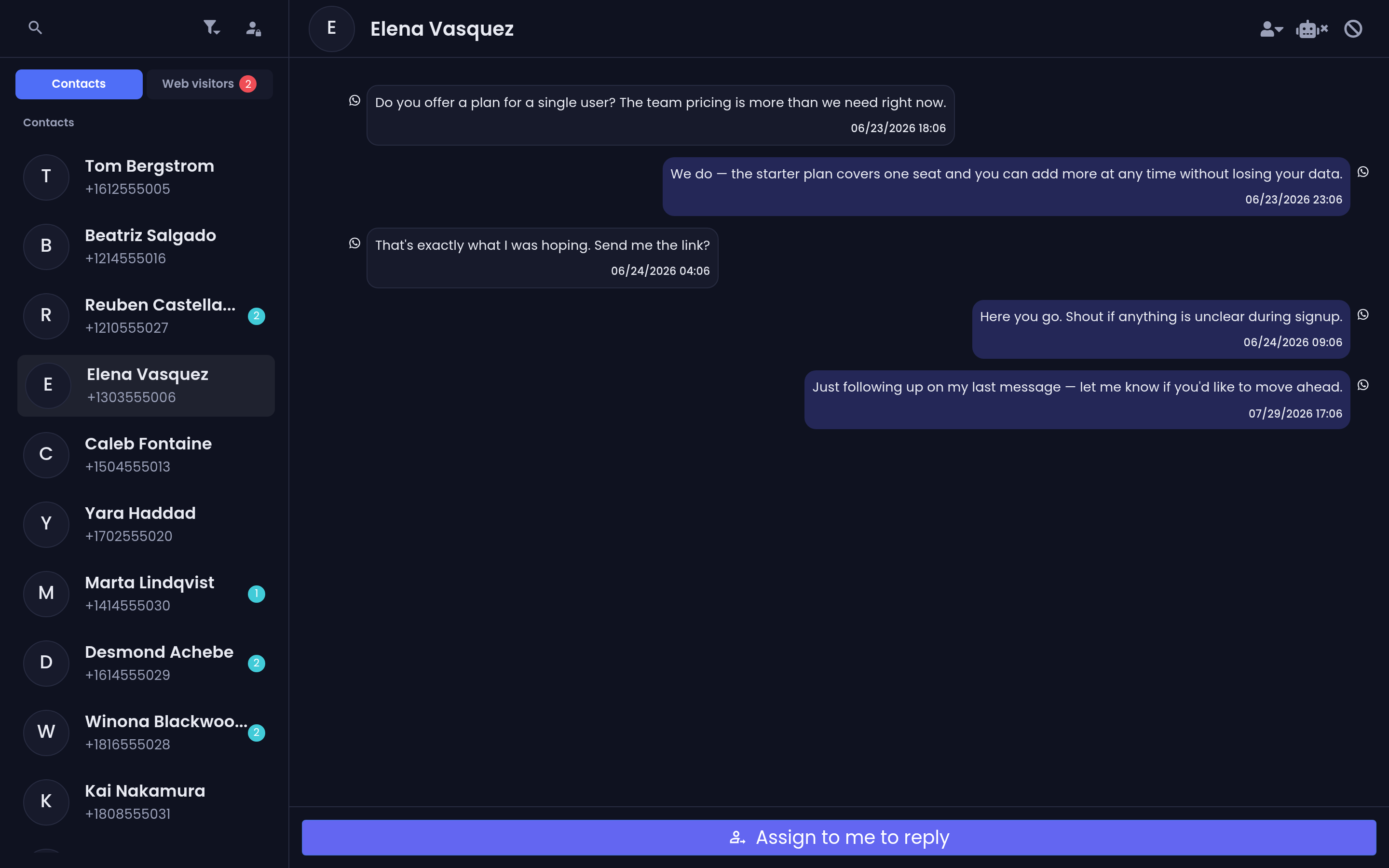
If a conversation belongs to another team member, the message box is replaced by a single button: Assign to me to reply.
Choose it and the lead becomes yours, and the message box appears. This is deliberate friction — it stops two people answering the same customer, and it makes the handover visible to whoever had it before.
Web visitor chats have no owner, so this gate does not apply to them — whoever opens one can answer it, and answering is itself what takes the bot off the line.
#Giving it back
There are two different ways out, and they are not interchangeable.
#Resume — the bot picks up where it left off
Use the robot icon again, so that it reads Enable automation. Automation comes back on and the paused flow continues from the step it stopped at. Use this when you answered one question and the automated sequence should carry on.
#End Chat — the conversation is finished
The flag icon, labelled End Chat, closes the conversation. It asks End this chat? The lead will be unassigned from you.
It does three things: unassigns the lead from you, turns automation back on, and tells the conversation to close. If the WhatsApp number this ran on has an ending flow configured, that flow runs — a closing message, a satisfaction question, whatever you built. See Connect and manage WhatsApp numbers.
Use End Chat when the matter is dealt with, not when you are stepping away for an hour.
#Web visitor chats
A live website chat works the same way with one difference: the takeover is on the conversation, not on a lead, because a web visitor is usually anonymous.
While you have it, the conversation carries a LIVE badge in the visitor list and in its header. Messages the visitor sends are held for you rather than answered. Handing back releases everything the bot missed, so it can catch up rather than starting over.
If the visitor does turn out to be a lead in your CRM, Tayon keeps both sides in step, so the same person is not answered by a bot on one channel while you are typing on another.
#The one thing bulk sends do not respect
Taking a conversation over stops the bot, the AI and any running flow. It does not stop scheduled messages or bulk campaigns. Those are aimed at a list, not at a conversation, and they go out regardless.
If you have taken over a difficult conversation and there is a campaign due, take that person out of the campaign’s audience — do not rely on the takeover to protect them.
Updated: