Set up your pipeline stages
Build the columns your leads move through, colour them, mark which ones count as a win, and rename the word "Stage" itself.
You’ll need: Administrator access.
A stage is a step in your sales process. Every lead sits in exactly one of them, and moving between them is what “working the pipeline” means. Tayon ships with a standard set; this article is about making them yours.
ConfigurationStages
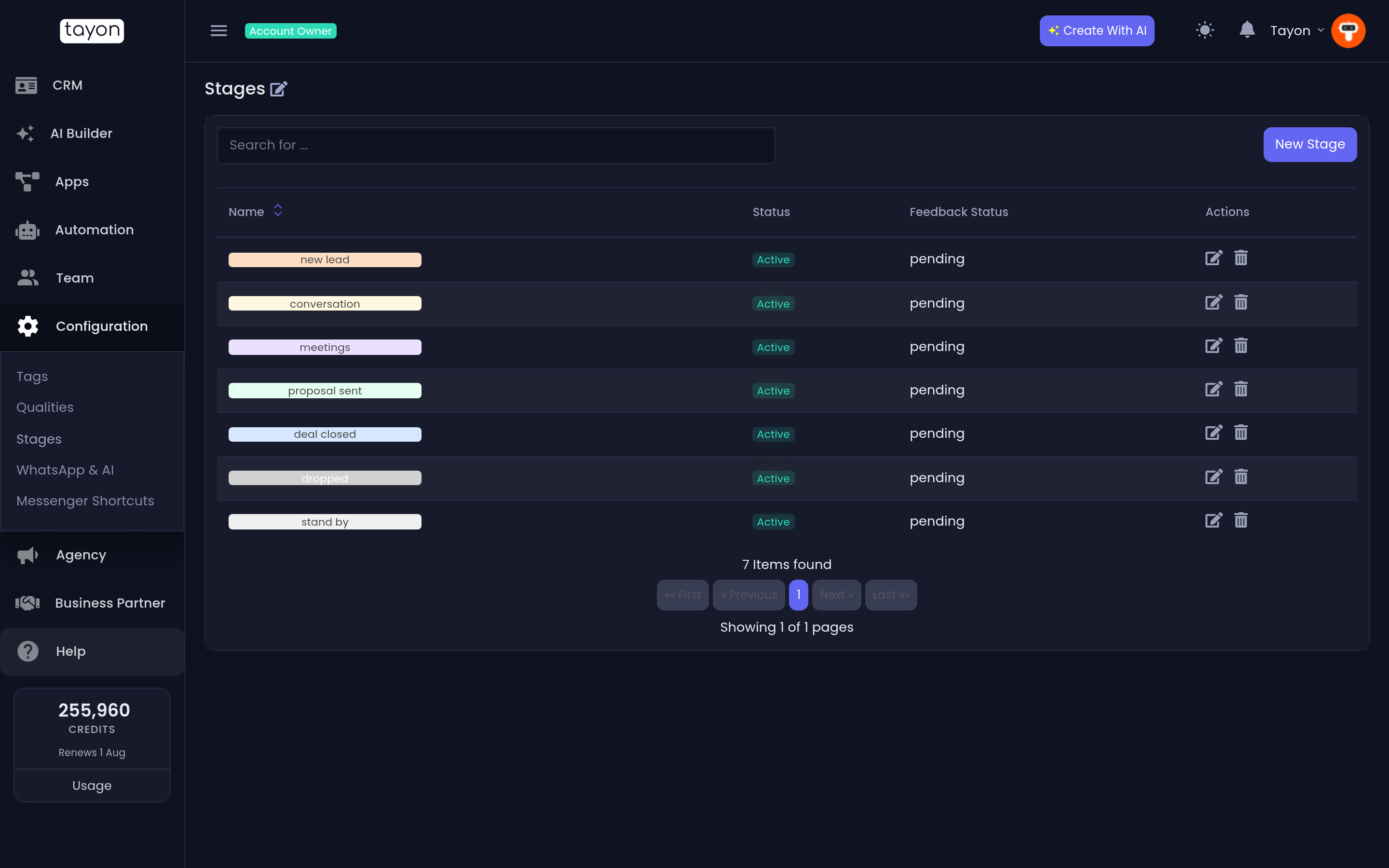
#Add a stage
- Choose New Stage.
- Type a Name.
- Pick a Background Color and a Font Color.
- Set Feedback status — see below.
- Choose Save.
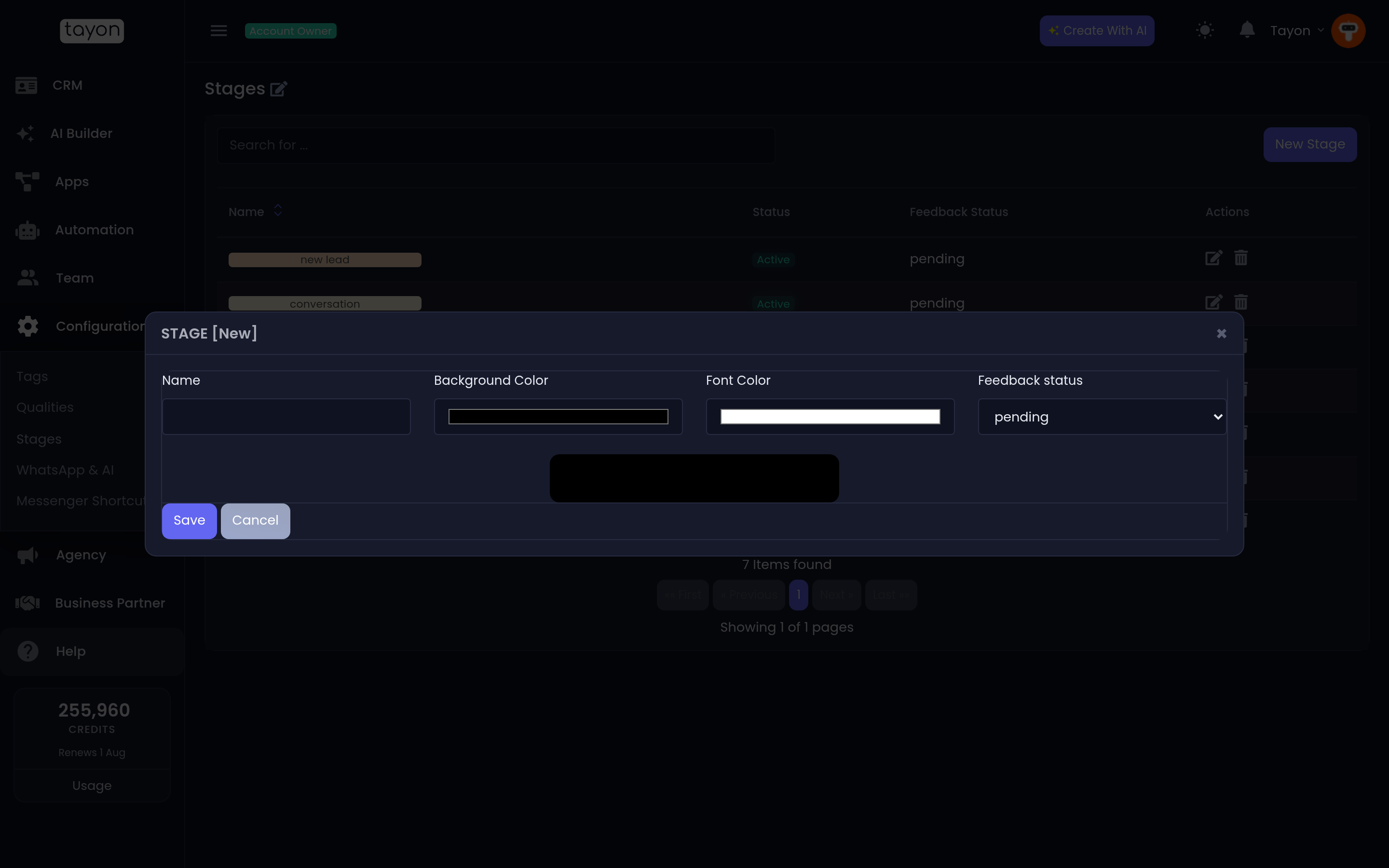
The preview strip at the bottom of the dialog shows the badge exactly as it will appear in the Leads list, so you can check the colour pair is readable before you save.
#Feedback status
This is the field people skip, and it is the one that matters most. It tells Tayon what a lead reaching this stage means:
| Value | Use it for |
|---|---|
| pending | Work in progress — the lead is still moving |
| conversion | You won. The lead became a customer |
| dropped | You lost, or the lead went cold |
Exactly one stage should normally be conversion and one dropped; everything between them is pending.
#Turn a stage off
The Status switch on the edit dialog, and the Active / Inactive badge in the list, control whether a stage is offered when someone sets a lead’s stage. The hint on the list reads click on status to change.
Deactivating a stage is the safe way to retire it. Leads already sitting in it keep it and still show it; it simply stops appearing as a choice.
#Order on the board
Stage order is not set here. Drag the columns on the pipeline board into the order you want; that order is remembered for you.
#Rename the word “Stage”
If your business does not call them stages, Edit page title lets you replace the word. Type your own Title and save.
The new word then appears everywhere the old one did — the column header in the Leads list, the filter dropdown, the field on a lead, the dashboard chart, and the labels on bulk actions.
#A workable starter set
If you are designing a pipeline from scratch, a short one beats a detailed one. Five or six stages, each of which somebody actually does something in, is plenty. If two stages always get crossed in the same afternoon, they are one stage.
Updated: